APEX 5.1 IG processing
Interactive grid row processing and dynamic actions
IG row based DA tips
You started working with IG and wanted to implement dynamic actions within your IG report region.
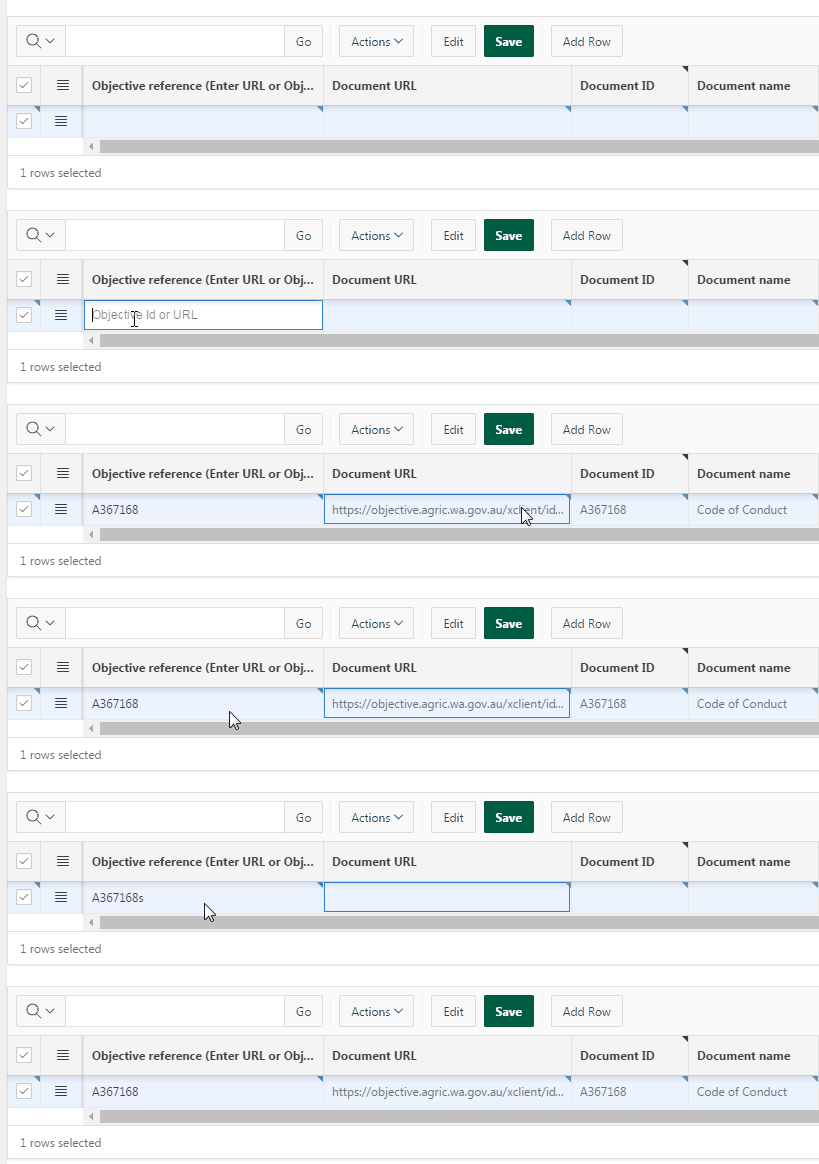
Idea here is: You have a column in IG that triggers a change and DA fires and retrieves data from database before displaying them in your row columns.
There is a mini catch that I had issues figuring out - why and where hence this post.
If you start googling about APEX IG most likely you will end up in good hands of John Snyder and his "how to hack APEX IG" series. Excellent material and heaps of useful things you might need along the way.
The one that was of most help to me was Christoph's blog. Gives you a basic idea how to manipulate IG rows and change values.
Now that you have all the material it is time for implementation.
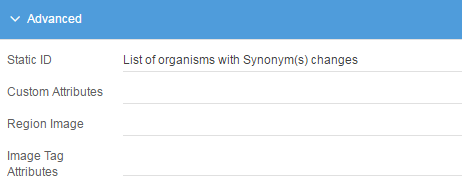
First thing is to create your interactive grid (including a static ID). Second step select a column on which you want a DA to trigger. Create a DA with JS below. Third step is creating a page process that will return values from database.
My process GETDOCINFO is:
DECLARE
r_doc_info varchar2(150);
BEGIN
-- This should be getting the cached document info
r_doc_info:= get_info(APEX_APPLICATION.g_x01);
--BUILD JSON OBJECT
apex_json.open_object;
apex_json.open_array('item');
apex_json.open_object;
apex_json.write('id', 'DOC_ID');
apex_json.write('docID', r_doc_info);
apex_json.close_object;
apex_json.close_array;
apex_json.close_object;
EXCEPTION when others then
htp.p('"ERROR"');
END;
As you can see it is pretty basic example.

Now to the JavaScript bit.
//SET IG ROW details to be used in a fnc
//if this is removed IG row/model can not be retrieved
var p_element = this.triggeringElement;
var p_rowId = $(this.triggeringElement).closest('tr').data('id');
var dID;
apex.server.process(
"GETDOCINFO", {
x01: this.triggeringElement.value //PASSING IN doc_ref
}, {
success: function(data) {
//console.log(data)
var i, item;
// this handles the page items to return set by the server process
// data result is object with property item which is an array of page item id, value pairs
if (data && data.item) {
for (i = 0; i < data.item.length; i++) {
item = data.item[i];
dID = item.docID;
}
} //end if
//Update IG columns
set_IG(dID);
} //success
}
);
//notice how this is different from example in blog
function set_IG (pID){
//Get the link element that was clicked
var $te = $(p_element);
//Identify the particular interactive grid
var ig$ = apex.region("event_docs").widget();
//here you have to change to use static ID of your region
//Fetch the model for the interactive grid
var model = ig$.interactiveGrid("getViews","grid").model;
//Fetch the record for the particular rowId
var record = model.getRecord(p_rowId);
model.setValue(record,"DOCUMENT_ID", pID);
}
Only thing to keep in mind is in yellow lines. Without keeping a reference to a row and element triggering this DA you may start receive errors in your browser console toString property not found. Comparing to Christopher's example there is very little difference but original version simply was not working for me when being called from ajax callback as information about the row and model would be lost along the way.
As example this JS below would not work:
apex.server.process(
"GETDOCINFO", {
x01: this.triggeringElement.value //PASSING IN doc_ref
}, {
success: function(data) {
//console.log(data)
var i, item;
if (data && data.item) {
var dID,dName,dUrl;
for (i = 0; i < data.item.length; i++) {
item = data.item[i];
dID = item.value;
}
set_IG(dID);
} //end if
} //success
}
);
function set_IG (pID){
//Get the element that was changed
var $te = $(this.triggeringElement);
//Get the ID of the row
var rowId = $te.closest('tr').data('id');
//Identify the particular interactive grid
var ig$ = apex.region("event_docs").widget();
//Fetch the model for the interactive grid
var model = ig$.interactiveGrid("getViews","grid").model;
//Fetch the record for the particular rowId
var record = model.getRecord(rowId);
model.setValue(record,"EVENT_DOCUMENT_ID", pID);
}
Alternative approach would be to base your JS on rows selected and do processing from there. Something like:
var view = apex.region("event_docs").widget().interactiveGrid(" getViews", "grid");
var records = view.getSelectedRecords();
//console.log(records);
//console.log(records[0][1]);
//difference between input type and object like LOV
for ( i = 0; i < records.length; i++) {
//if dealing with LOV for example
console.log(view.model.getValue(records[i], "DOC_REFERENCE").v);
//if dealing with regular text type for example
console.log(view.model.getValue(records[i], "DOCUMENT_ID"));
}
var records = view.getSelectedRecords();
//console.log(records);
//console.log(records[0][1]);
//difference between input type and object like LOV
for ( i = 0; i < records.length; i++) {
//if dealing with LOV for example
console.log(view.model.getValue(records[i], "DOC_REFERENCE").v);
//if dealing with regular text type for example
console.log(view.model.getValue(records[i], "DOCUMENT_ID"));
}
Please note that there are heaps of different ways how to access data in IG model aim was only to bring to attention and what to keep an eye on.
This is all for now. Over and out.
Thanks,
SLino